
Is your Hisense refrigerator not cooling? If the interior lights are on but the unit remains warm, you don’t always need a professional repair service. Often, performing a Hisense fridge reset button is the most effective way to clear control board errors. In this guide, we will walk you through the Hisense refrigerator troubleshooting steps to get your cooling system back to peak performance.
How to Perform a Hisense Fridge Hard Reset
If your Hisense fridge is not cooling or the display is showing an error, a power cycle is your first step. This is the standard procedure to reset the Hisense refrigerator control board.
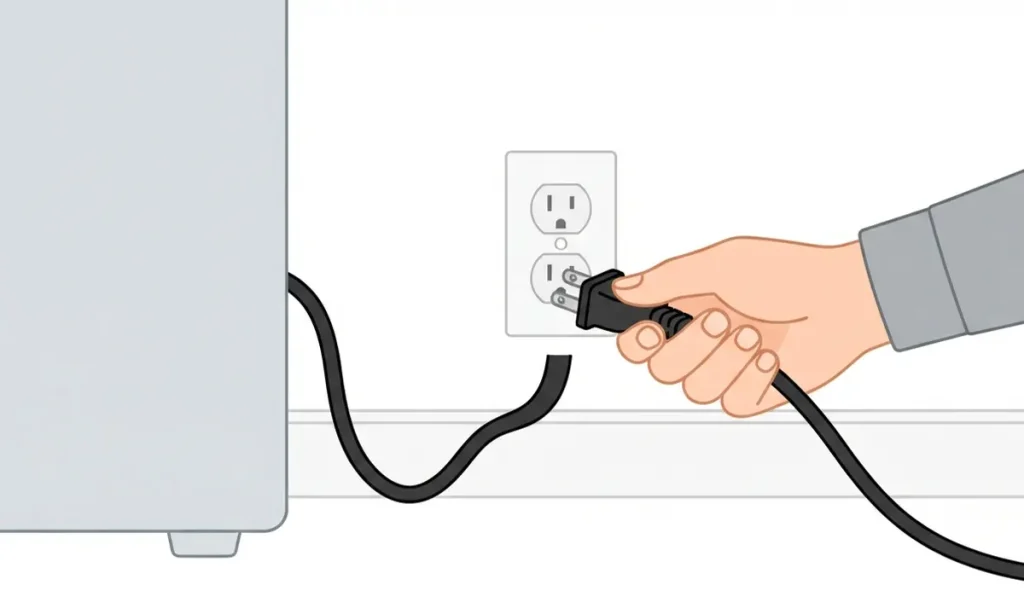
- Step 1: Unplug the Hisense refrigerator from the power outlet.
- Step 2: Wait for 15 minutes. This duration is vital for the capacitors to fully discharge, which resets the internal software.
- Step 3: Plug the unit back in.
- Step 4: Allow 24 hours for the Hisense fridge temperature to stabilize at the recommended set points.
Exiting Hisense Refrigerator Demo Mode
Many users struggle with a Hisense fridge that won’t cool because it is stuck in Demo Mode (or Showroom Mode). If your panel is lit but the compressor is not running, try this:
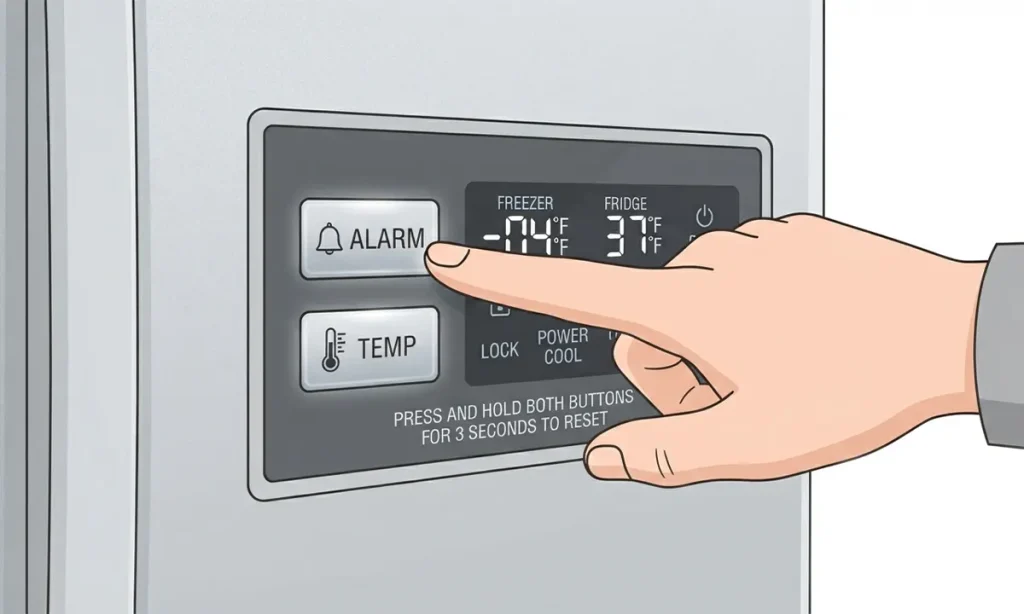
- Hold the “Alarm” and “Temp” buttons simultaneously for 5 seconds.
- This specific Hisense reset button combination will disable the display-only mode and allow the compressor to start the cooling cycle.
Common Hisense Fridge Problems & Solutions
If the reset does not fix the cooling issue, inspect these components often cited in Hisense refrigerator troubleshooting guides:
| Issue | Potential Cause | Troubleshooting Fix |
| Fridge not cooling | Demo/Showroom Mode | Exit via Alarm + Temp buttons |
| Freezer cold, fridge warm | Airflow blockage | Rearrange food; clear air vents |
| Display error codes | Sensor malfunction | Perform a full power cycle reset |
| Light on, no cooling | Dusty condenser coils | Vacuum coils to improve heat exchange |
Understanding Hisense Temperature Settings
Maintaining the correct Hisense fridge settings is essential for energy efficiency and food safety.
- Refrigerator: Set to 3°C (37°F).
- Freezer: Set to -18°C (0°F).
- Manual Dials: If your model uses a 1–7 scale, setting 3 or 4 is the recommended baseline for optimal performance.
When to Seek Professional Repair
If you have completed the Hisense refrigerator reset and still face issues, consider these indicators of hardware failure:
- E4 or F1 error codes: These typically signal a failed thermistor or temperature sensor.
- Clicking sounds: A recurring metallic click often indicates a faulty compressor start relay.
- Burning smells: This is a clear sign of an electrical component failure; unplug your unit immediately.
FAQ: Hisense Refrigerator Troubleshooting
How do I reset my Hisense refrigerator?
To reset a Hisense fridge, unplug the unit for 15 minutes to clear the control board settings, then plug it back in.
Why is my Hisense fridge not cooling after a reset?
If your Hisense refrigerator remains warm, check for blocked air vents or dusty condenser coils, which prevent proper heat dissipation.
What is the Hisense fridge reset button combination?
Most models exit Demo Mode by holding the “Alarm” and “Temp” buttons for 5 seconds.

Hey, I’m MD BELAL! I’m the founder and appliance lover behind FridgeFAQ.com. Over the last 5 years, I’ve spent countless hours fixing cooling issues, optimizing temperatures, and turning ordinary mini fridges into fun DIY projects. I started this site to break down complicated fridge problems into simple, friendly advice so you can save money and fix your own appliances with confidence!